

| TypeScript | @lightprotocol/stateless.js | Client SDK for Compressed Accounts |
| TypeScript | @lightprotocol/compressed-token | Client SDK for Compressed Tokens |
| Rust | light-client | Client SDK for Compressed Accounts and Tokens |
Key Points
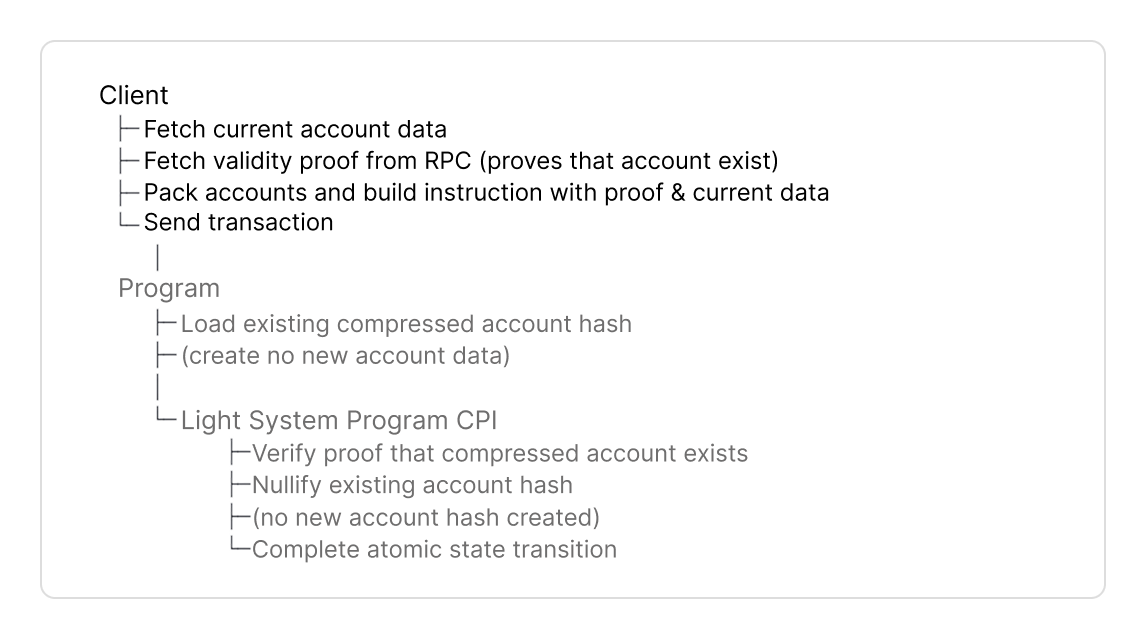
- Derive a new address or fetch compressed account for on-chain verification.
- Fetch validity proof from the RPC that verifies a new address does not exist (create) and/or the account hash exists in the state tree (update, close, etc.).
- Pack accounts with the SDKs helper. Instructions require and .
PackedAccountsconverts their pubkeys tou8indices pointing to accounts in the instruction. - Build the instruction with the current account data, new data, packed accounts and validity proof.
- Create
- Update
- Close
- Reinitialize
- Burn
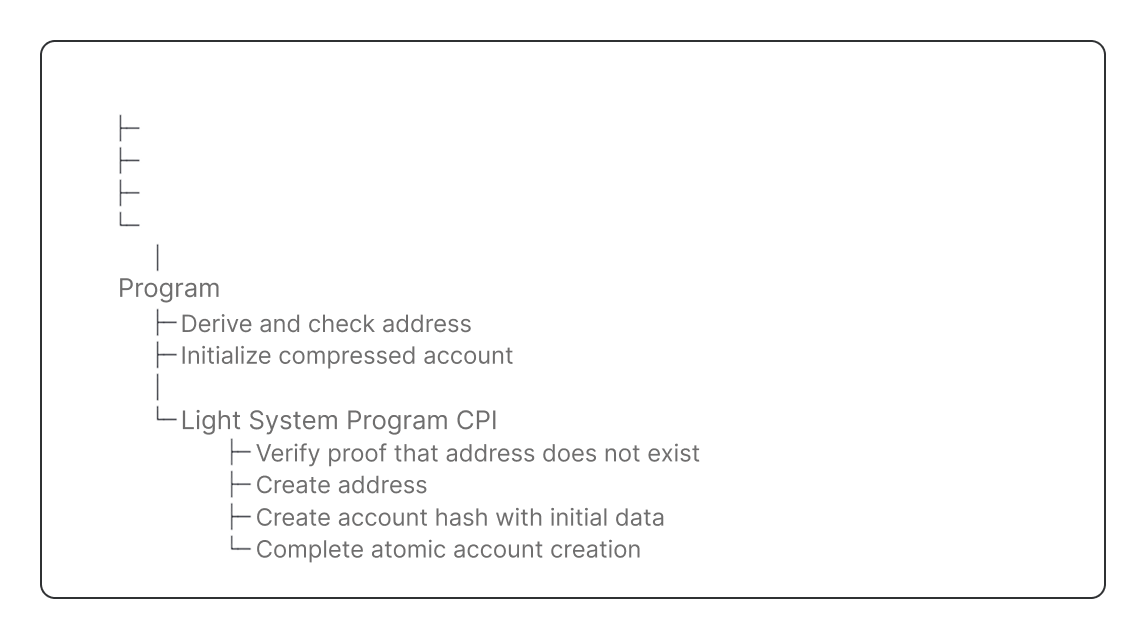
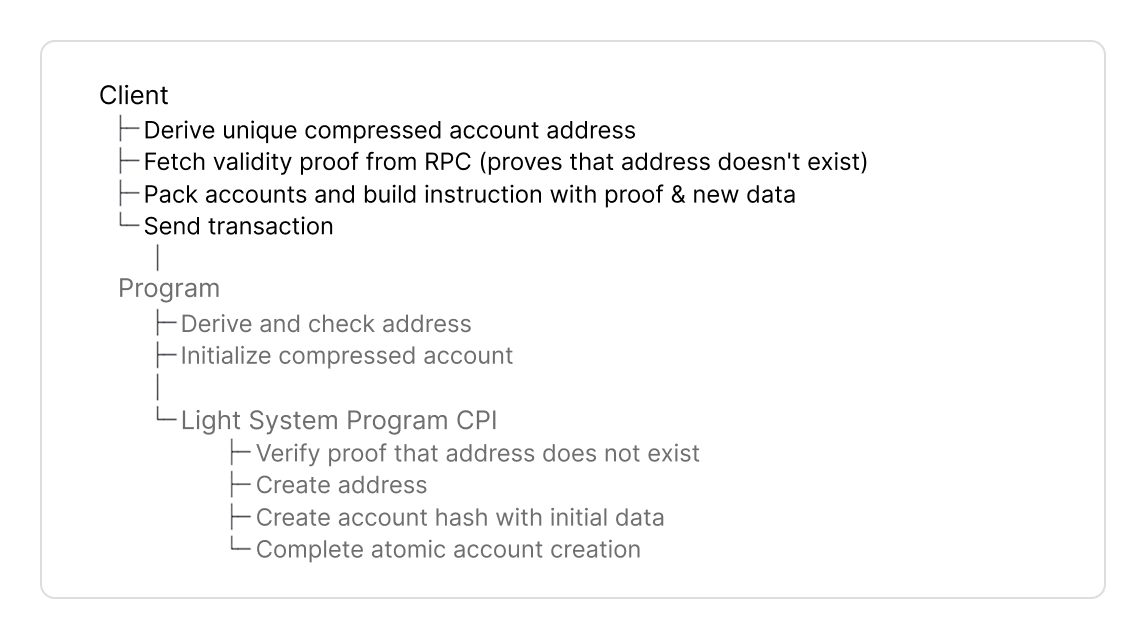
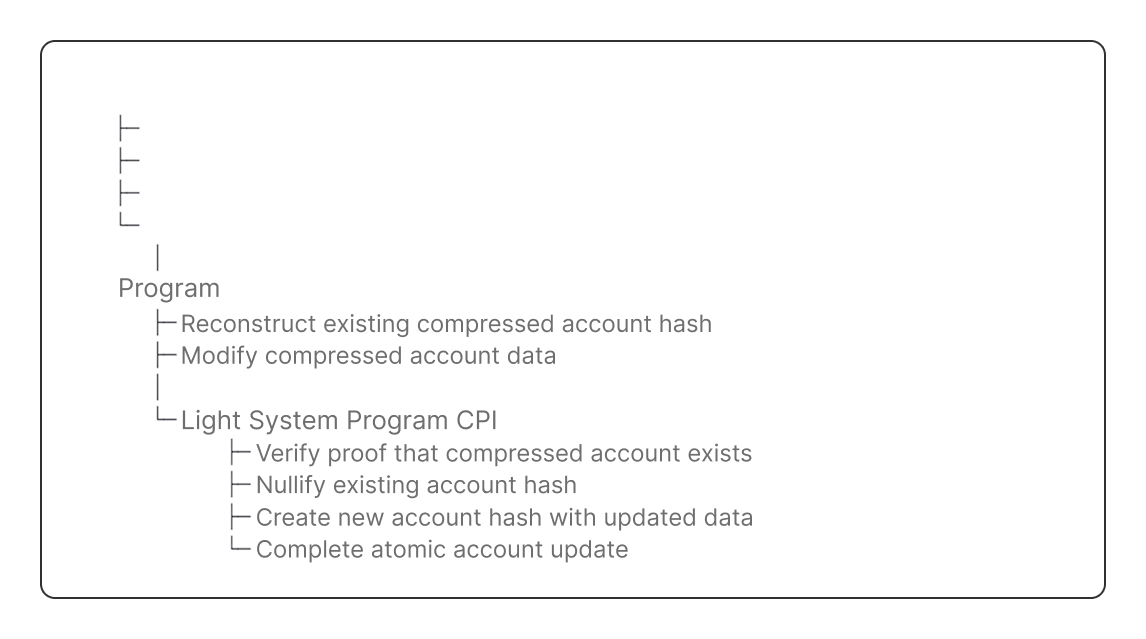
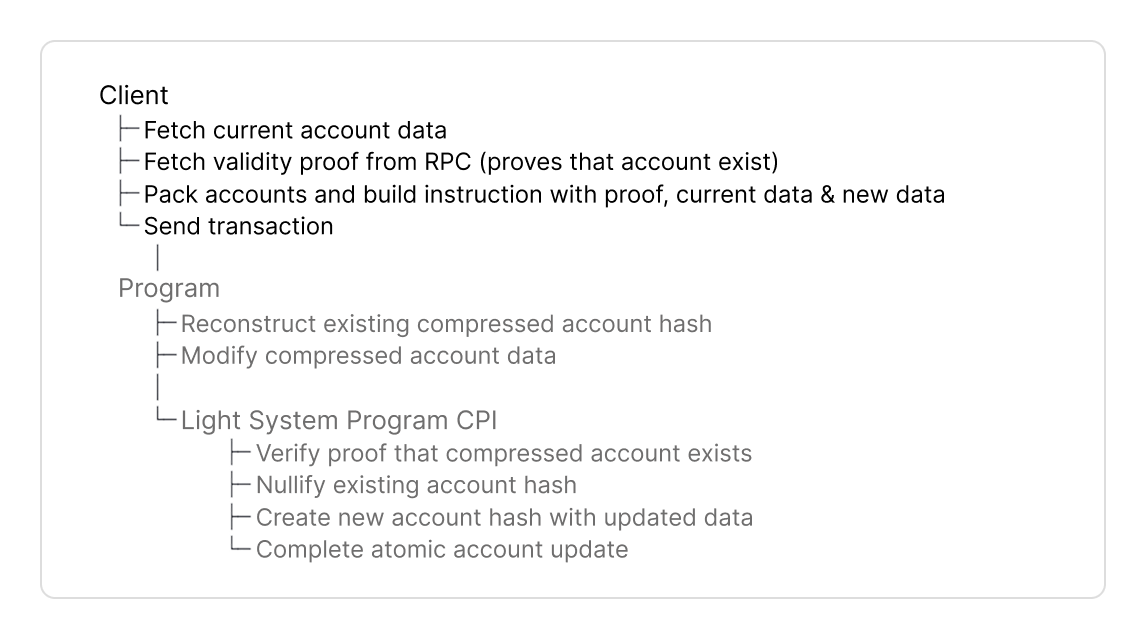
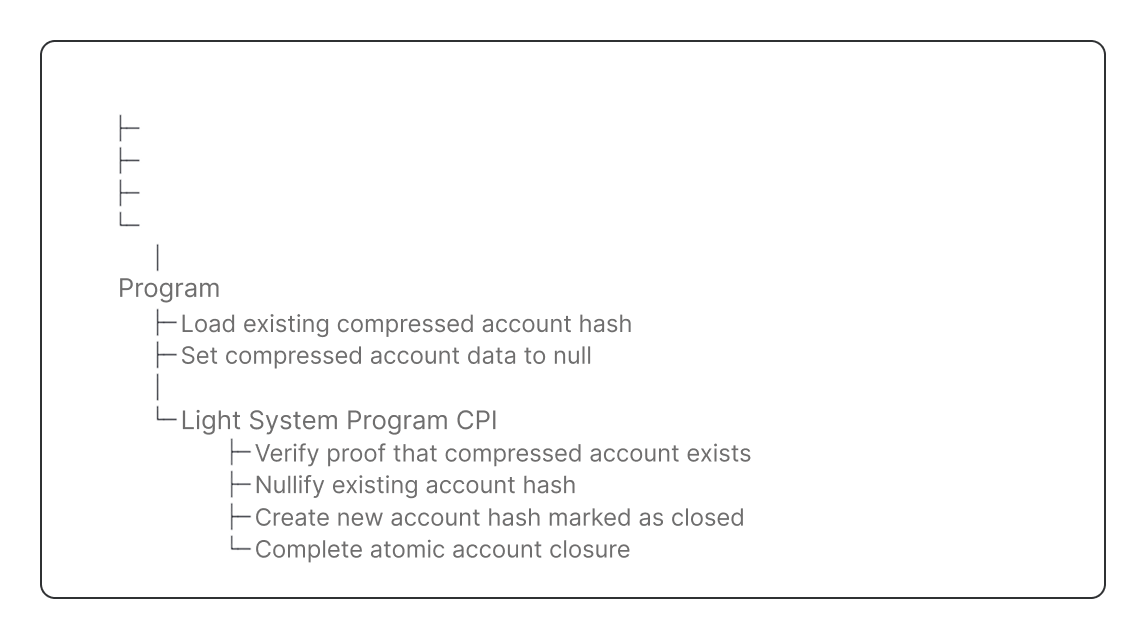
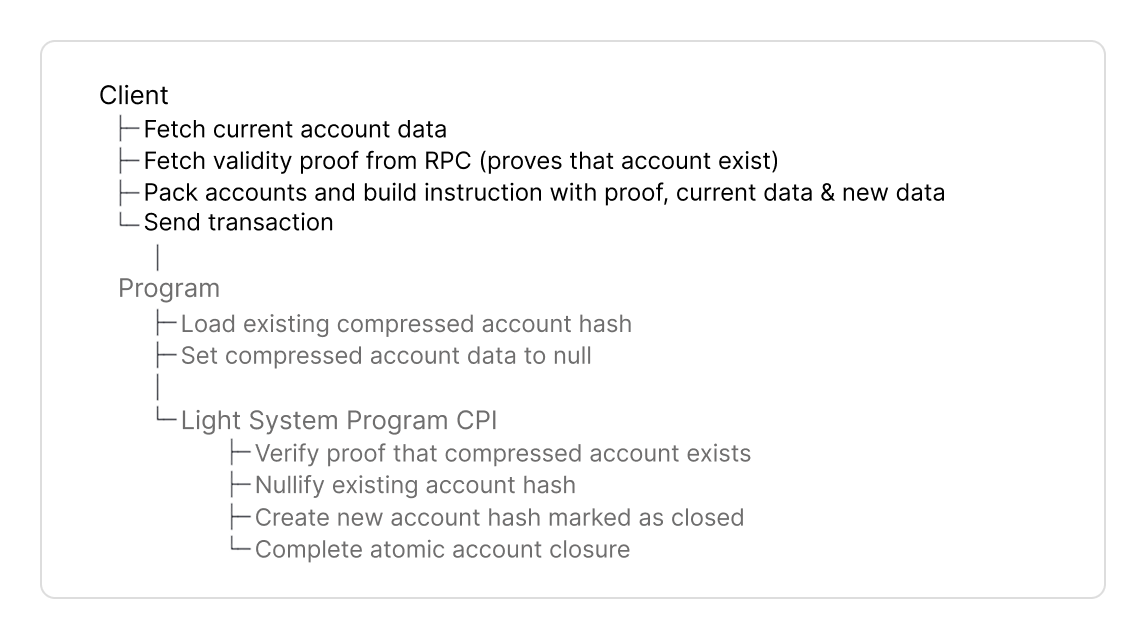
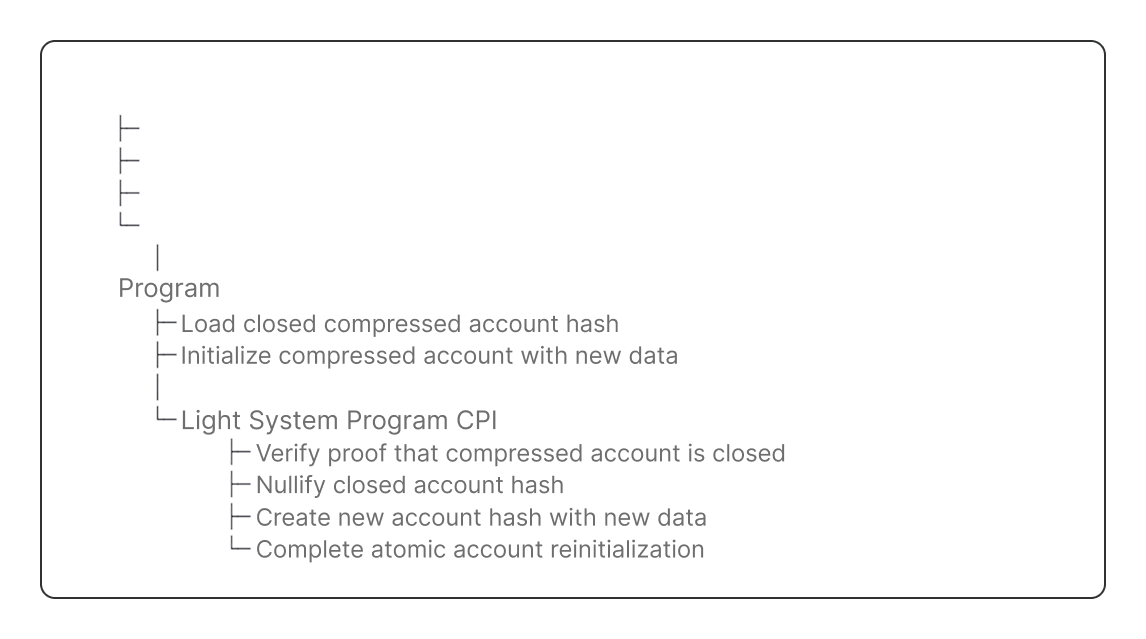
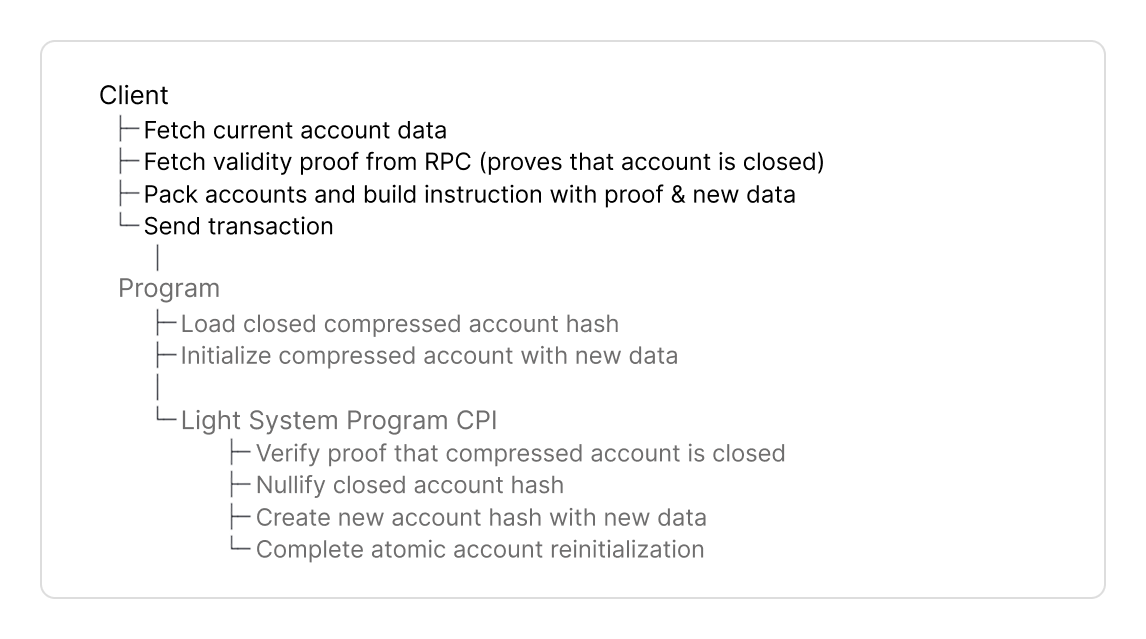
Get Started
- Guide
- AI Prompt
Setup
- Typescript
- Rust
Use the API documentation to look up specific function signatures, parameters, and return types.
1. Installation
- npm
- yarn
- pnpm
2. RPC Connection
Rpc is a thin wrapper extending Solana’s web3.js Connection class with compression-related endpoints.- Mainnet
- Devnet
- Localnet
Address
Derive a persistent address as a unique identifier for your compressed account, similar to program-derived addresses (PDAs).You derive addresses in two scenarios:- At account creation - derive the address to create the account’s persistent identifier, then pass it to
getValidityProofV0()in the address array - Before building instructions - derive the address to fetch existing accounts using
rpc.getCompressedAccount()
- Typescript
- Rust
- The key difference to PDAs is compressed addresses are stored in an address tree and include this tree in the address derivation.
- Different trees produce different addresses from identical seeds. You should check the address tree in your program.
Validity Proof
Transactions with compressed accounts must include a validity proof:- To create a compressed account, you prove the new address doesn’t already exist in the address tree.
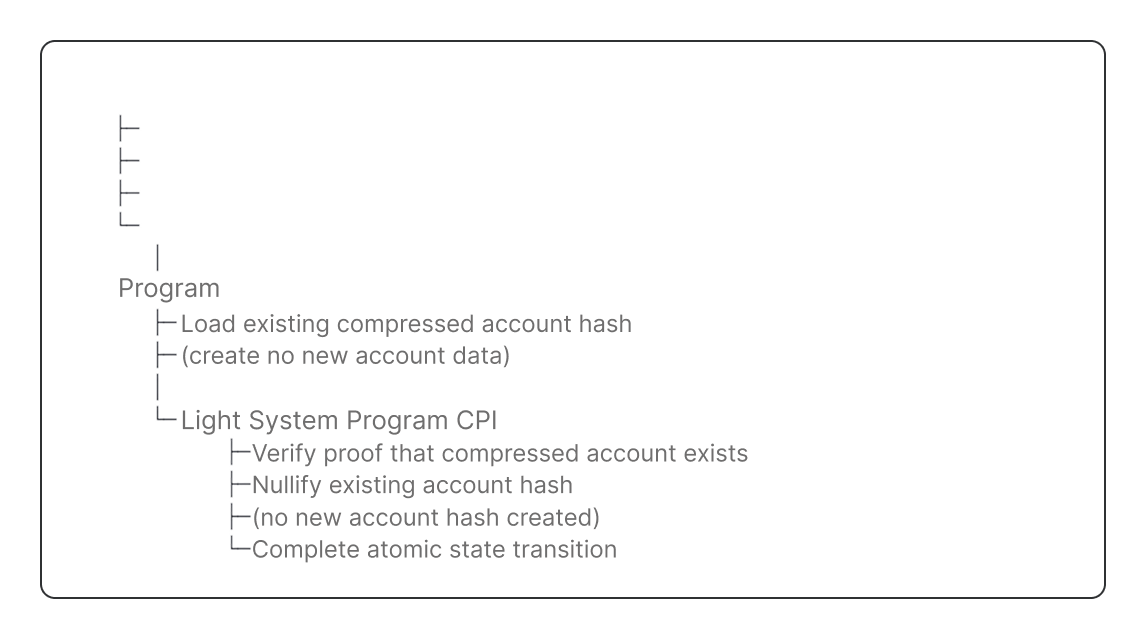
- In other instructions, you prove the compressed account hash exists in a state tree.
- You can combine multiple addresses and hashes in one proof to optimize compute cost and instruction data.
You fetch a validity proof from your RPC provider that supports ZK Compression, such as Helius or Triton.
- Typescript
- Rust
- Create
- Update, Close, Reinit, Burn
- Specify the new address,
treeandqueuepubkeys from the address treeTreeInfo. - When you create an account you don’t reference a compressed account hash in the hash array (
[]). The account doesn’t exist in a state Merkle tree yet.
For account creation, you prove the address does not exist yet in the address tree.
- The proof that the new address does not exist in the address tree. It is used in the instruction data.
rootIndicesarray with root index.- The root index points to the root in the address tree accounts root history array.
- This root is used by the
LightSystemProgramto verify the validity proof.
Optimize with Combined Proofs
You can prove in a single proof:- multiple addresses,
- multiple account hashes, or
- a combination of addresses and account hashes.
| Account Hash-only | 1 to 8 hashes |
| Address-only | 1 to 8 addresses |
| Mixed (hash + address) | Any combination of 1 to 4 account hashes and 1 or 4 new addresses |
Example Create Address & Update Account in one Proof
In this example, we generate one proof that proves that an account exists and that a new address does not exist yet.- Typescript
- Rust
- Specify one or more account hashes,
treeandqueuepubkeys from the compressed account’sTreeInfo. - Specify one or more new addresses with their
treeandqueuepubkeys from the address treeTreeInfo.
- A single combined proof that proves both the account hash exists in the state tree and the new address does not exist in the address tree for your instruction data
rootIndicesandleafIndicesarrays with proof metadata to pack accounts.
Accounts
To interact with a compressed account you need System accounts such as the , and .Compressed account metadata (TreeInfo) includes Merkle tree pubkeys.
To optimize instruction data we pack the pubkeys of TreeInfo into the u8 indices of PackedTreeInfo.The u8 indices point to the Merkle tree account in the instructions accounts.
You can create the instructions accounts and indices with PackedAccounts.We recommend to append PackedAccounts after your program specific accounts and in anchor in remaining_accounts.Custom Accounts
Custom Accounts
Custom accounts are program-specific accounts you pass manually in your instruction, typically through Anchor’s account struct.
Pre Accounts
Pre Accounts
Optional, custom accounts (signers, PDAs for CPIs) and other accounts can be added to pre accounts.
Pre accounts can simplify building the accounts for pinocchio and native programs.
Light System Accounts
Light System Accounts
Light System accounts are 6 required accounts for proof verification and CPI calls to update state and address trees.
| 1 | Verifies validity proofs, compressed account ownership checks, and CPIs the Account Compression Program to update tree accounts. | |
| 2 | CPI Signer |
|
| 3 | Registered Program PDA | Provides access control to the Account Compression Program. |
| 4 | Signs CPI calls from the Light System Program to the Account Compression Program. | |
| 5 |
| |
| 6 | Solana System Program used to transfer lamports. |
Merkle Tree Accounts
Merkle Tree Accounts
Merkle tree accounts are the accounts of state tree and address trees that store compressed account hashes and addresses.
- Typescript
- Rust
- Create
- Update, Close, Reinit Burn
| Instruction | Address Tree | State Tree (includes nullifier queue) | Output Queue |
|---|---|---|---|
| Create | ✓ | - | ✓ |
| Update / Close / Reinit | - | ✓ | ✓ |
| Burn | - | ✓ | - |
- Address tree: only used to derive and store a new address.
- State tree: used to reference the existing compressed account hash. Therefore not used by create. The state tree and nullifier queue are combined into a single account.
- Output Queue: used to store compressed account hashes. A forester node updates the state tree asynchronously.
- Create only - Choose any available queue, or use a pre-selected queue to store the new compressed account.
- Update/Close/Reinit - Use the queue of the existing compressed account as output queue.
- Mixed instructions (create + update in same tx) - Use the queue from the existing account as output queue.
- Burn - Do not include an output queue.
Instruction Data
Build your instruction data with the validity proof, tree account indices, and account data.- Typescript
- Rust
- Create
- Update
- Close
- Reinit
- Burn
- Include
proofto prove the address does not exist in the address tree - Specify Merkle trees to store address and account hash to where you packed accounts.
- Pass initial account data
Instruction
Build the instruction with yourprogram_id, accounts, and data.- Accounts combine your program-specific accounts and
PackedAccounts. - Data includes your compressed accounts, validity proof and other instruction data.
- Typescript
- Rust
Send Transaction
Full Code Examples
- TypeScript
- Rust
Find the source code here.
- create - Initialize a new compressed account
- update - Modify data of an existing compressed account
- close - Close a compressed account (it can be initialized again).
- reinit - Reinitialize a closed account
- burn - Permanently delete a compressed account (it cannot be initialized again).